How To Get A QR Code For Your Uzanga Website
A QR code makes it easier for customers to quickly visit your website by simply scanning it with their phone. You can use your QR code on posters, packaging, business cards, receipts, social media posts and much more. Here’s how to generate a QR code for your Uzanga website.
Step 1: Copy Your Website Link
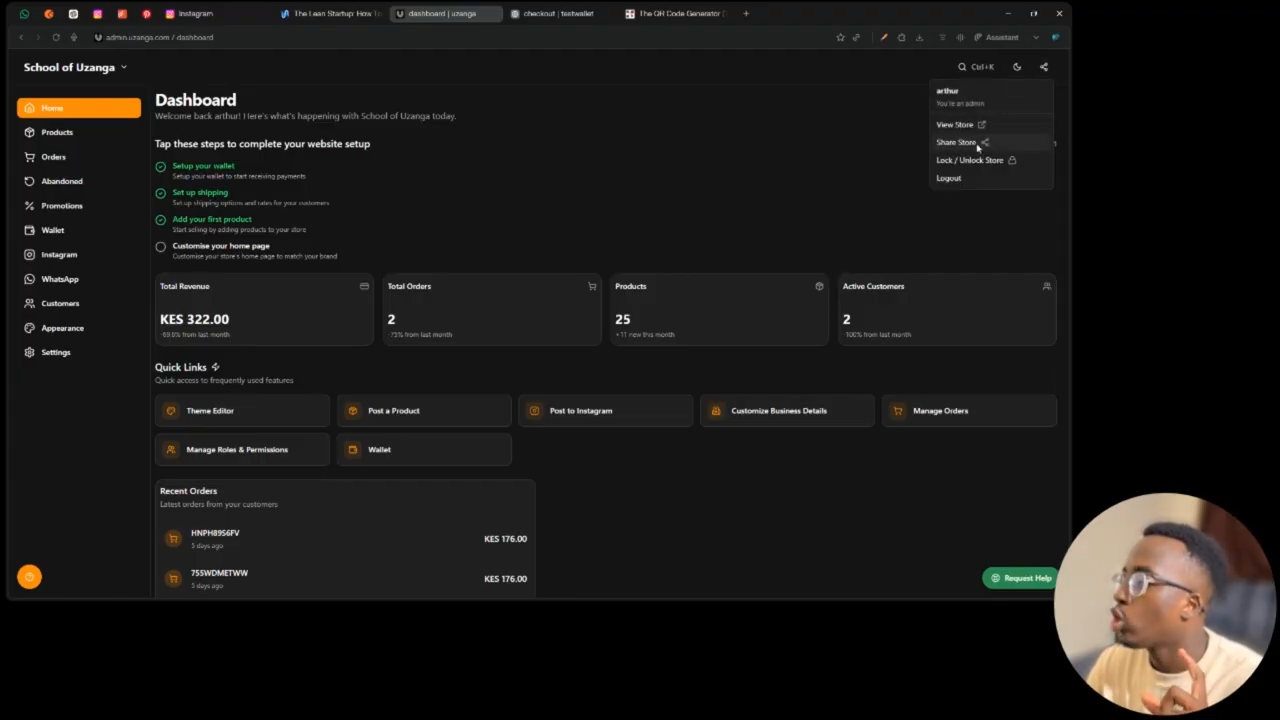
From your Uzanga admin dashboard:
- Open your website admin
- Locate your website link
- Copy the full URL of your website
for example https://yourstore.uzanga.shop or https://yourstore.com
Step 2: Open a QR Code Generator
Open a new browser tab and visit a QR code generator such as www.qr-code-generator.com. You can also use canva or other QR code generator tools you find on Google.
Step 3: Paste Your Website Link
On the QR code generator website:
- The QR code will automatically be generated
- Paste your website URL into the input field
Once generated, your customers will be able to scan it and instantly visit your website.
Step 4: Download the QR Code
Most QR code tools allow you to download the QR code in different formats such as PNG or SVG. Choose the format that best fits your use case.
- PNG works well for most general users
- SVG is better for high-quality printing and resizing
Step 5: Use Your QR Code anywhere
You can now place your QR code on:
- Product packaging
- Posters and banners
- Business cards
- Receipts
- Flyers
- Social media graphics
- Storefront signage
This makes it much easier for customers to access your Uzanga website quickly.
And that’s it! Your Uzanga website now has a scannable QR code ready to share everywhere🚀